
Evolving Inkay into Malamar is one of the many special evolutions in Pokémon Legends: Z-A. The evolution process does involve a bit of leveling, but there are a few more steps that you’ll need to accomplish, making this evolution one of the more complicated processes in the game. You’ll need to abide by a few requirements, or else you won’t be able to turn your Inkay into everyone’s best friend, Malamar.
Here’s how to evolve Inkay in Pokémon Legends: Z-A.
Update (Dec. 17): We’ve added more context on how to evolve Inkay, as well as a location where you can catch Malamar.
How to evolve Inkay in Pokémon Legends: Z-A
To evolve Inkay into Malamar in Pokémon Legends: Z-A, your Inkay will need to be in your party and at least level 30. It’s important to note that you do not need to level up your Inkay upside-down like in previous titles.
With a level 30 Inkay in your party, you’ll need to abide by the following requirements:
- Play with your Nintendo Switch or Nintendo Switch 2 in handheld mode with the Joy-Cons attached.
- Disconnect all other controllers.
Now that that’s all squared away, there are two ways to evolve your Inkay: flipping your console upside-down or detaching your Joy-Cons and reattaching them upside-down.
For the first method, you’ll need to just flip your Nintendo Switch upside-down and then interact with your Inkay in your menu. You won’t see an arrow indicating that Inkay is ready to evolve, but, after you interact with it, you’ll see an “Evolve” option.
The second method is only possible on a Nintendo Switch 2 as the Joy-Cons can attach to either side of the screen. Detach both of your Joy-Cons and flip them upside-down before reattaching them on the opposite side. When done correctly, the Joy-Con with red accents should be attached to the left side of the Nintendo Switch 2, while the Joy-Con with blue accents should be attached to the right. Then, open your menu and interact with Inkay to see the “Evolve” option.
Make sure to select the “Evolve” option before flipping your console back over or else the evolution won’t take place. Once you’ve pressed “Evolve,” you’re free to flip your console back over, play docked, and reconnect your Pro Controller.
Where to catch Malamar in Pokémon Legends: Z-A
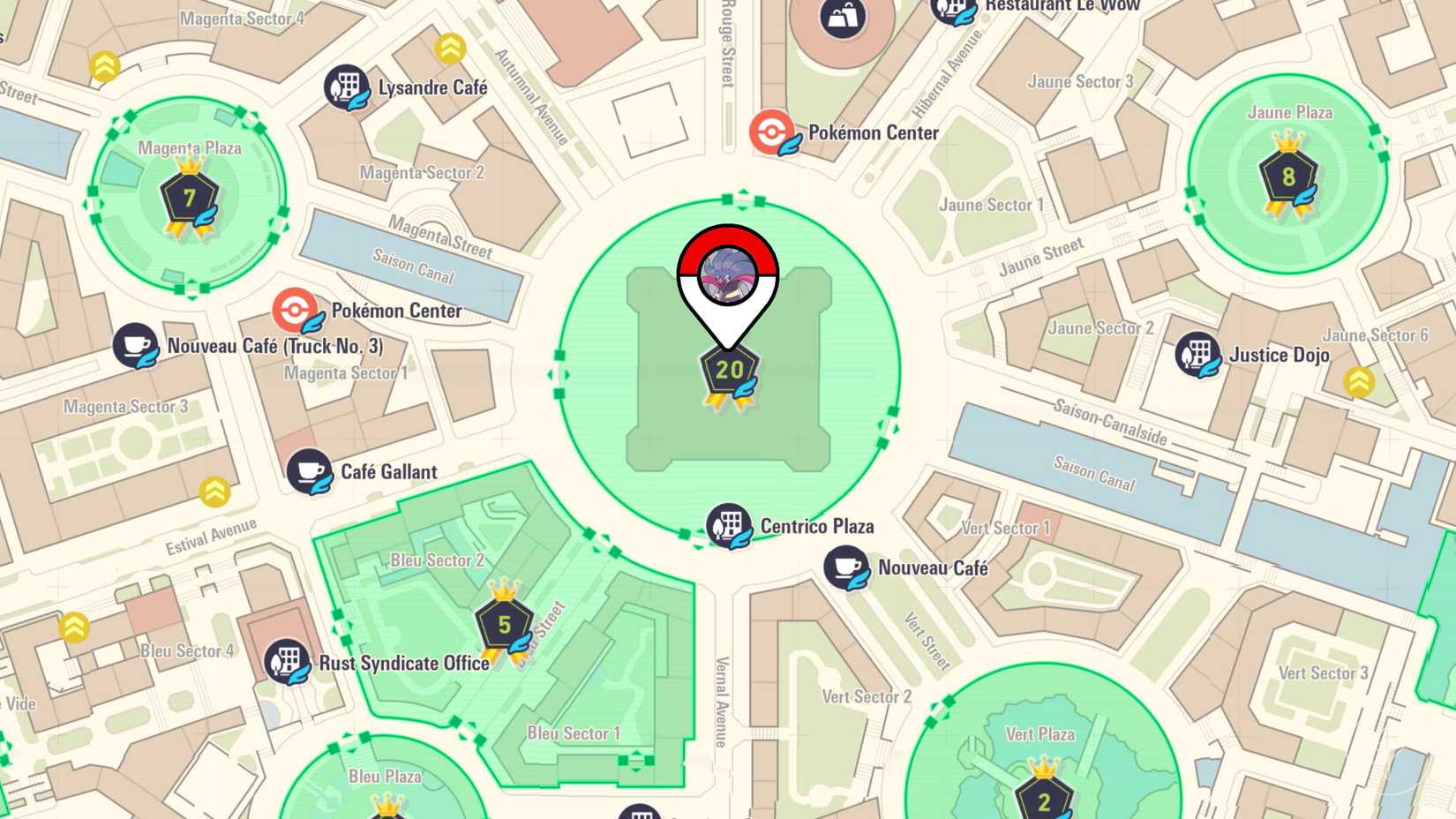
Alternatively, if you’d rather not go through the hassle of flipping over your console or detaching and reattaching your Joy-Cons, then you catch Malamar in Wild Zone 20. However, you do need to finish the main story to unlock the wild zone, so it may take a while to catch the mind-controlling Pokémon.
Looking for more on Pokémon Legends: Z-A? We have a beginner’s guide to help you get started, as well as a type advantage chart, if you’re having a hard time remembering what’s good against what. We also have guides on how to find other early game Pokémon to help you on your journey, like the Kalos starters, the Kanto starters, and even an early spot to find Eevee. If you’re seeking out even more, we have an interactive map of Lumiose City, too.
We also have guides on special evolutions that require more than just leveling up and a list of when you can unlock all of the Mega Stones you’ll need to Mega Evolve.